

Okuzeka: AI-powered reading, PDF translation, and vocabulary learning app

Read and understandLearn any language by reading.

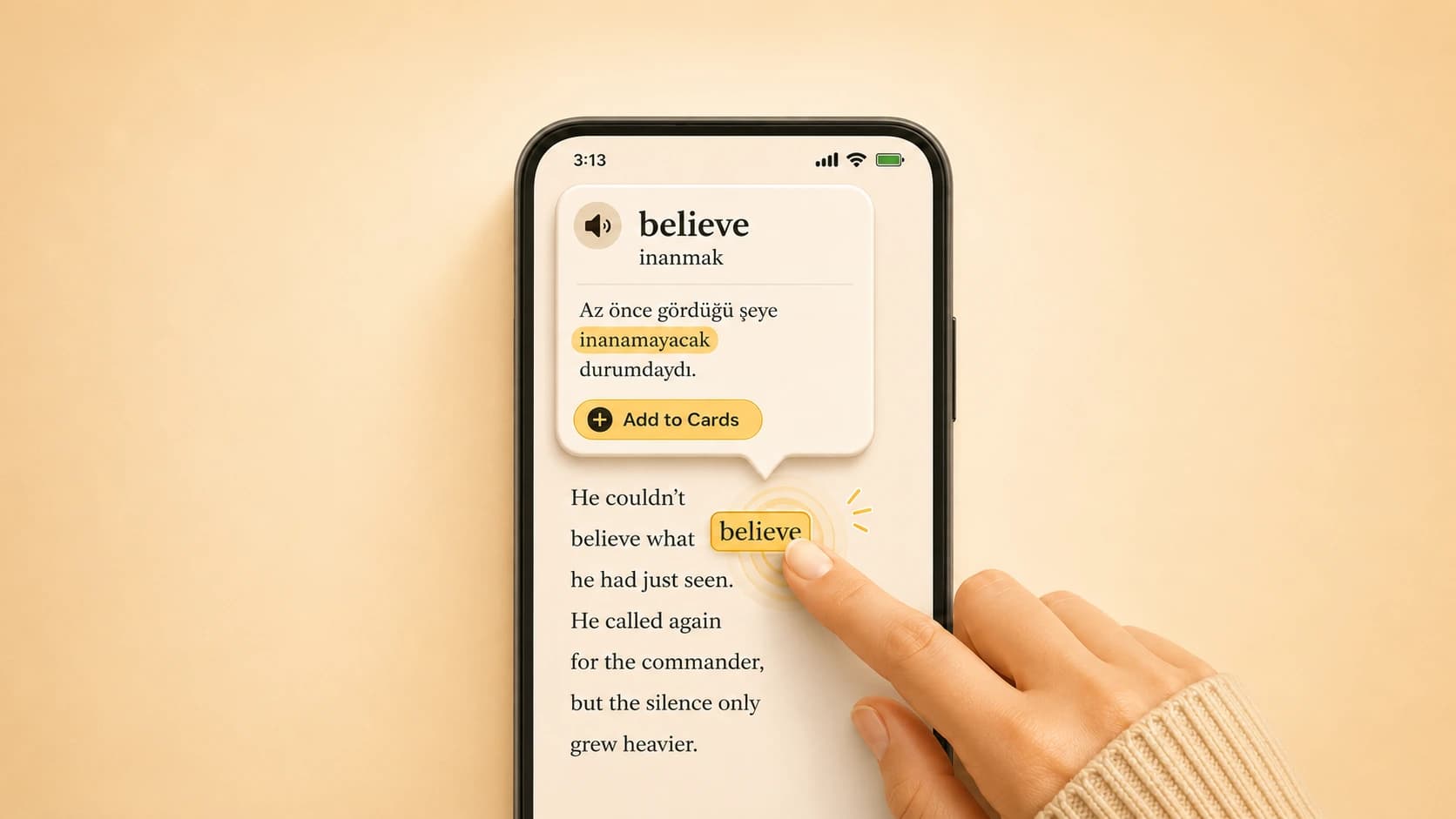
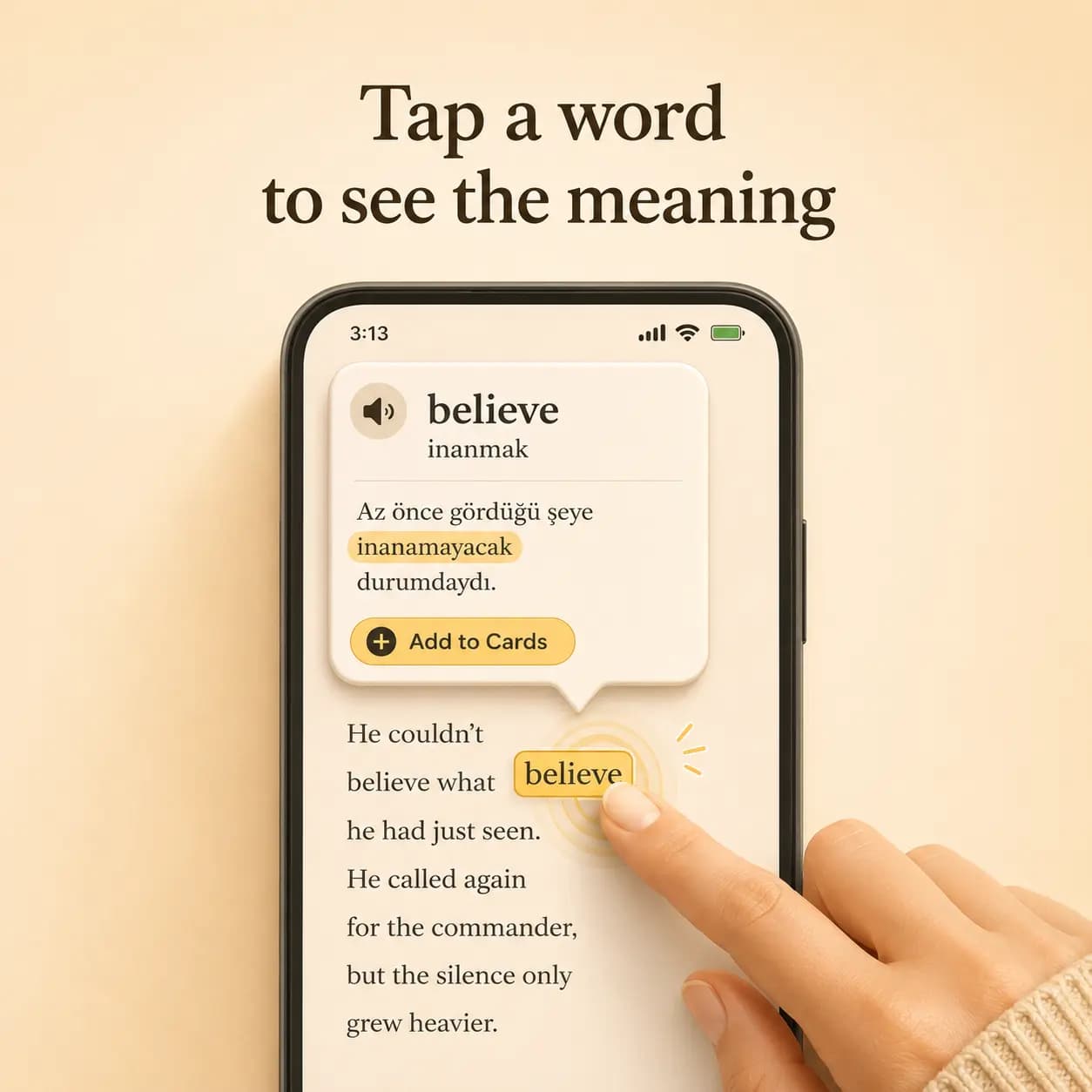
Tap any word to see its meaning in context.

Read your own booksYou are not restricted to our store.

Upload your PDFs and read your own books.

Okuzeka AI reading app showing contextual word meanings, instant translation, flashcards, and customizable reader settings for books and PDFsOkuzeka mobile reader showing tap a word to see its contextual meaning

What's Okuzeka?

Okuzeka is an AI-powered reading and language learning platform that helps you learn naturally while reading. You can upload your own books or choose from ours, continue from where you left off on mobile, and shape the reading experience around your preference.

It is much more than a simple e-book reader. When you tap a word you do not know, Okuzeka explains it according to the sentence it appears in, so the meaning reflects the real context instead of a flat dictionary definition. That keeps your reading flow intact while helping you understand more from real books.

Read more

Okuzeka is an AI-powered reading and language learning platform that allows you to learn naturally while reading. With Okuzeka, you can read either your own uploaded books or choose from the books we provide, and seamlessly continue from where you left off using our mobile app, customizing the reading experience to your preference. However, Okuzeka is much more than a simple e-book reader. While reading, if you come across a word you don't understand, you can tap on it and our AI will instantly provide the meaning based on how the word is used in that specific context. This way, your reading flow is never interrupted, you learn the meaning and continue effortlessly.

By learning through real content, you can naturally expand your vocabulary. Whether you are reading your favorite book in a foreign language or exploring a complex text in your native language, Okuzeka helps you grow your language skills in a practical way. What sets Okuzeka apart from other apps is that it lets you upload any PDF and learn through the exact content you want, instead of being limited to pre-selected materials. Additionally, unlike traditional translation tools that show generic dictionary meanings, Okuzeka provides context-aware meanings, which is critical since many words change meaning depending on the sentence.

You can also save any word into your personal flashcards and review them anytime, whether you're commuting or have a few spare minutes. While memorizing isolated words is often ineffective, learning vocabulary through real context significantly improves retention and understanding. After all, language learning is about understanding how words behave in different contexts. Okuzeka is available for free, so you can start right away by uploading your favorite book and turning reading into a powerful learning experience.
Live Demo

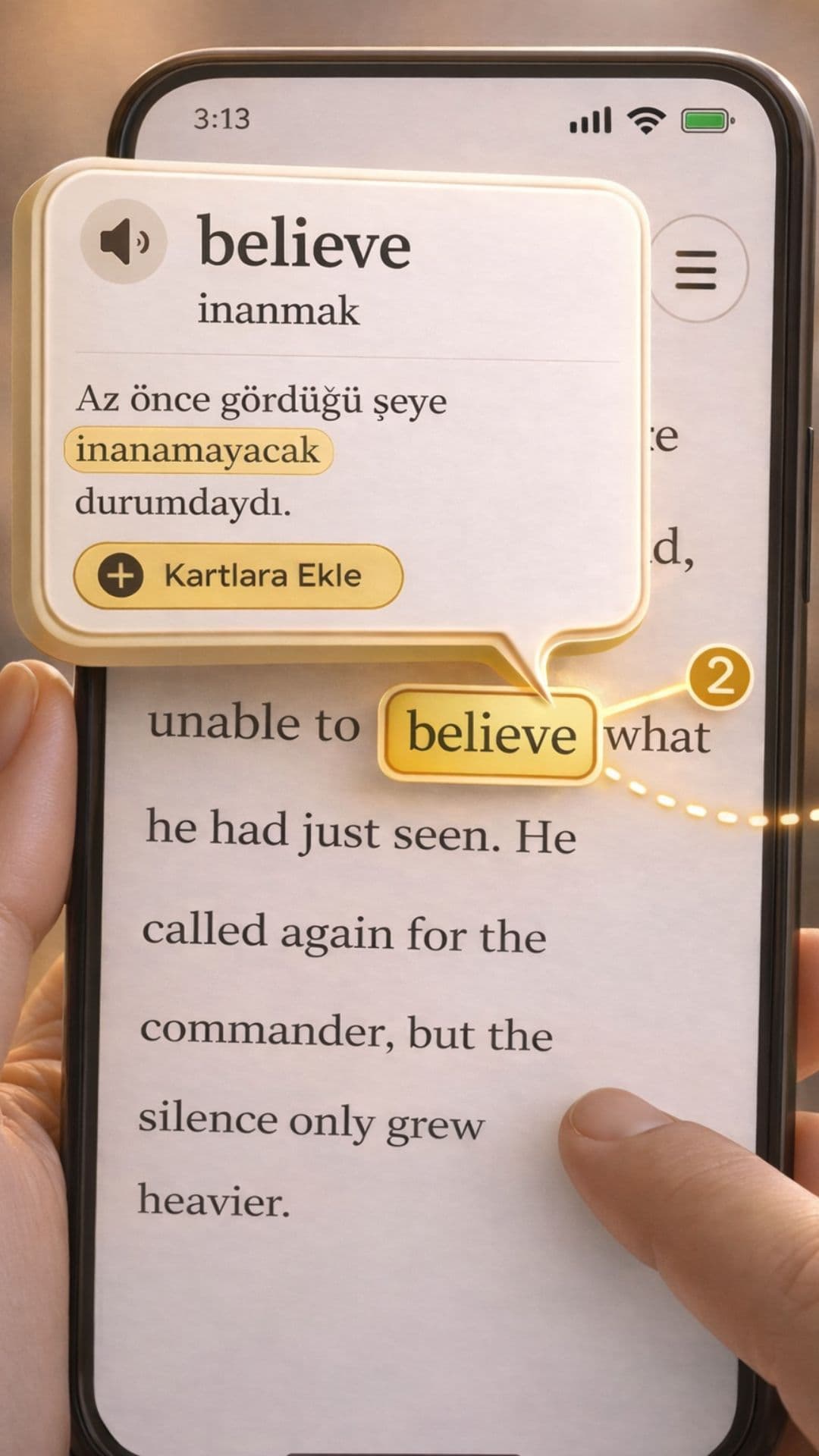
Tap the word whose meaning you do not know.

. , . . , . , . , , . , .

, , . , , , . . , . , . : , , .

Practice Cards

Tap a word, open the popup, and use Add to Cards to start the deck.

Tap any word and see the meaning instantly

Okuzeka does not show a flat dictionary equivalent. It explains the word according to the sentence it appears in. When you hit a word you do not know, you just tap it and the system shows the meaning, translation, and a short usage note when needed.

This keeps reading uninterrupted. You do not need to open a separate dictionary tab, copy text into another tool, or leave the page just to understand what you are reading.

That means you understand not only the dictionary meaning of the word, but what the sentence is actually saying. The result is a more accurate, more readable, and less disruptive translation experience.

Tap a word in Okuzeka to see its meaning and translation instantly

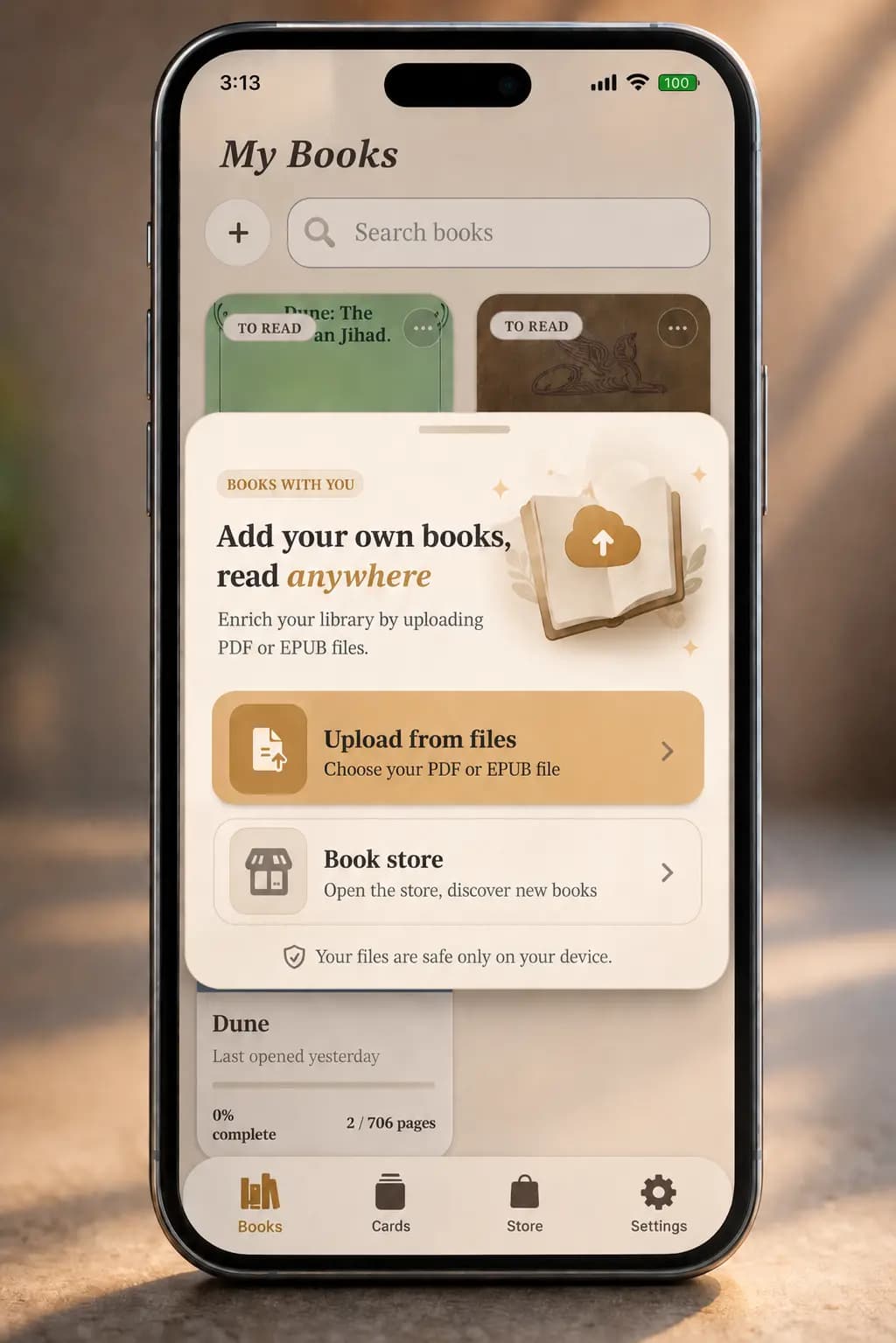
Upload your own PDF or add a book from the store

Okuzeka brings two flows together in one place: upload your own PDF or EPUB, or pick a book directly from the store and add it to your library. You are not locked into a single source just to start reading.

When you upload your own file, the system prepares it for a smoother reading experience. When you add a book from the store, the title, author, cover, and metadata are added directly to your library.

This turns the product into more than a reader. It becomes a personal and store-connected digital library where you can upload, choose, read, and learn in one place.

Upload your own PDF or add a book from the Okuzeka store

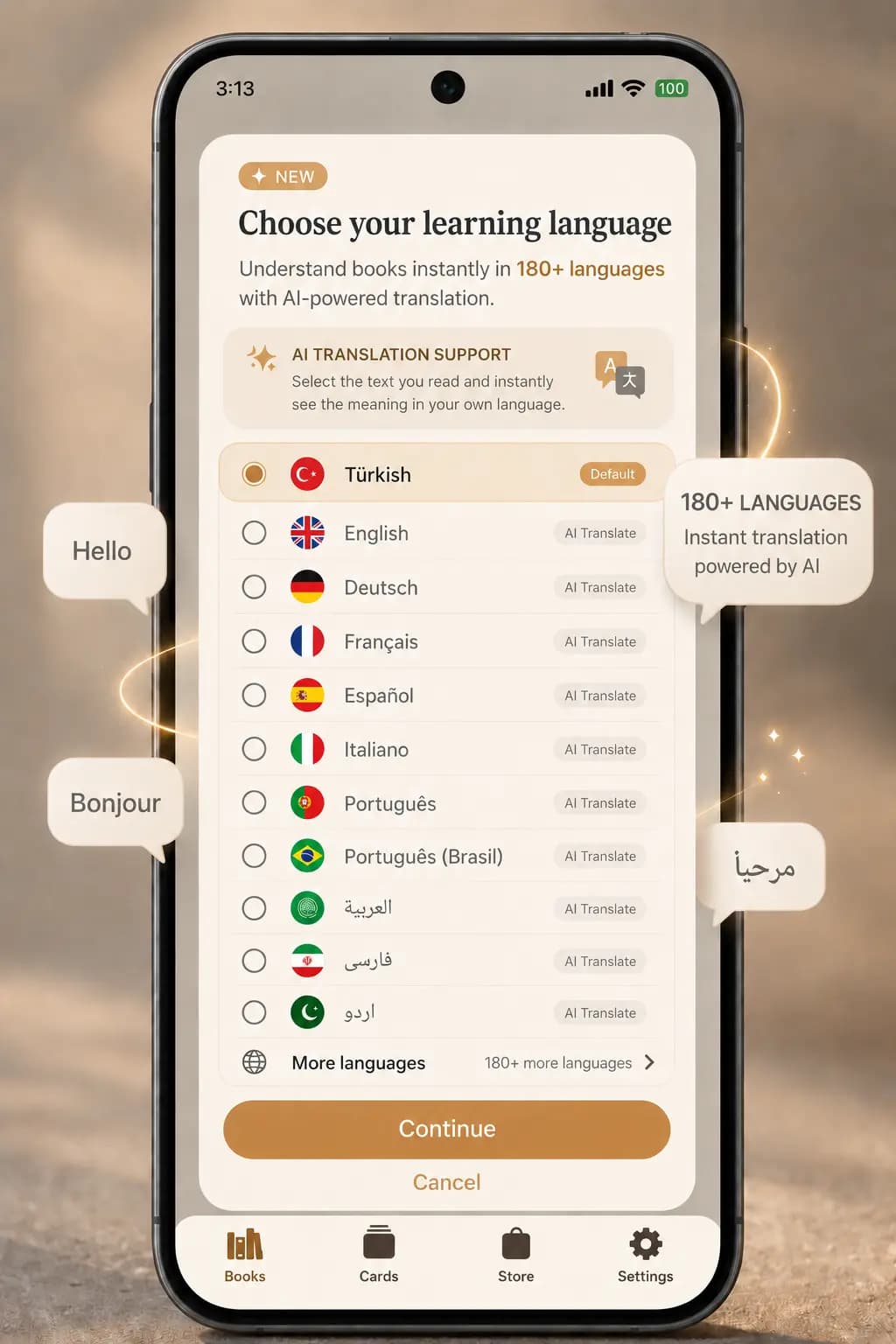
Read and translate across 50+ languages

In Okuzeka, not only the translation language but also the language of the book stays flexible. You can upload a book in the language you want to learn, then choose your native language or the language you want meanings shown in.

When you tap a word, the system interprets it in sentence context and translates it into the language you selected. That means both the language of the book and the target meaning language can move across 50+ options.

This gives you a much more flexible reading-based learning flow. You can move between different book languages, switch your meaning language, and keep learning inside the same app.

Okuzeka supports reading and context-based translation across more than 50 languages

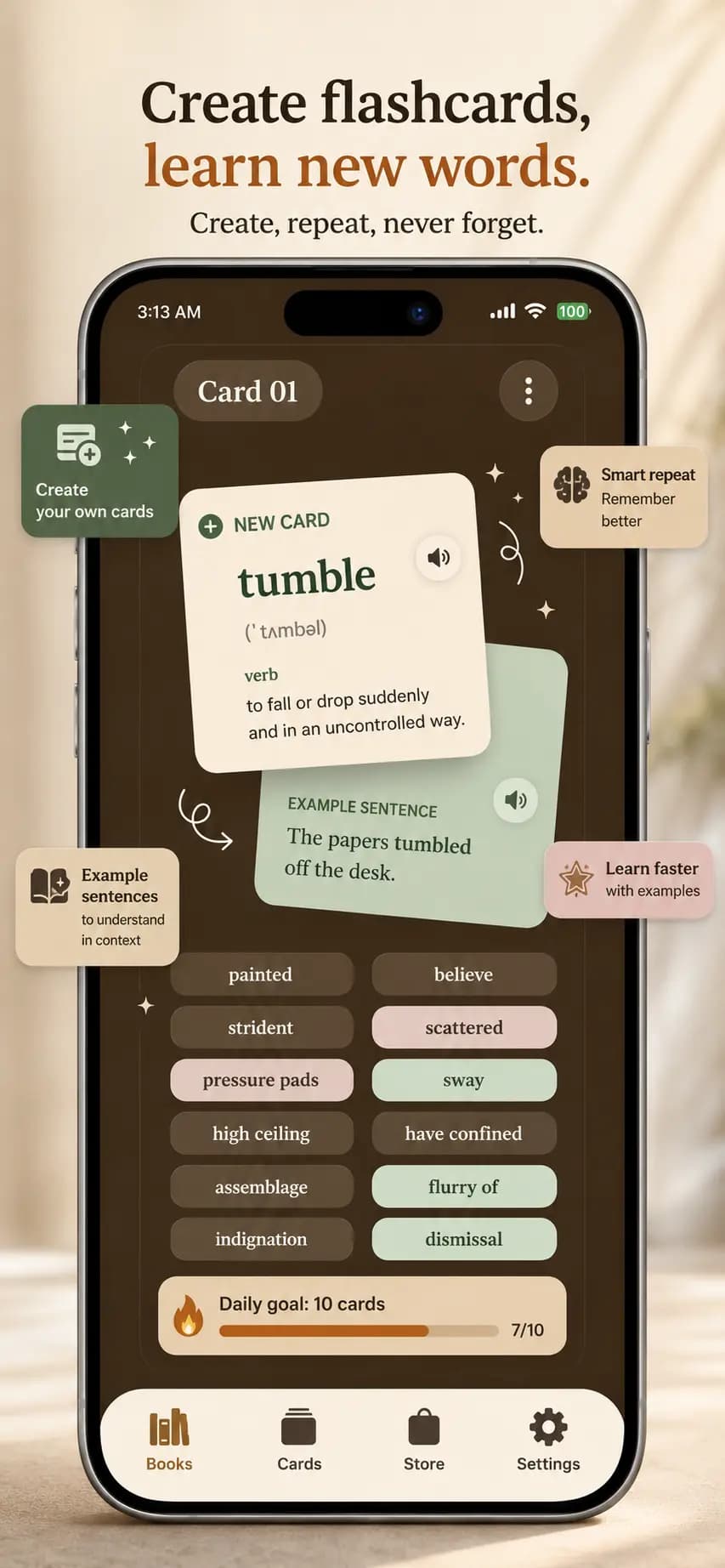
Create flashcards and review regularly

The words you save while reading turn into flashcards. That lets you revisit the vocabulary you met inside real books and turn passive exposure into active learning.

The card system makes it easier to track which words you see often, which ones still slow you down, and which ones you already know. That turns reading into a measurable review routine.

Instead of just moving on after reading, you can collect what you learn, review it later, and build your own reading-based vocabulary archive over time.

Create flashcards and review vocabulary in Okuzeka

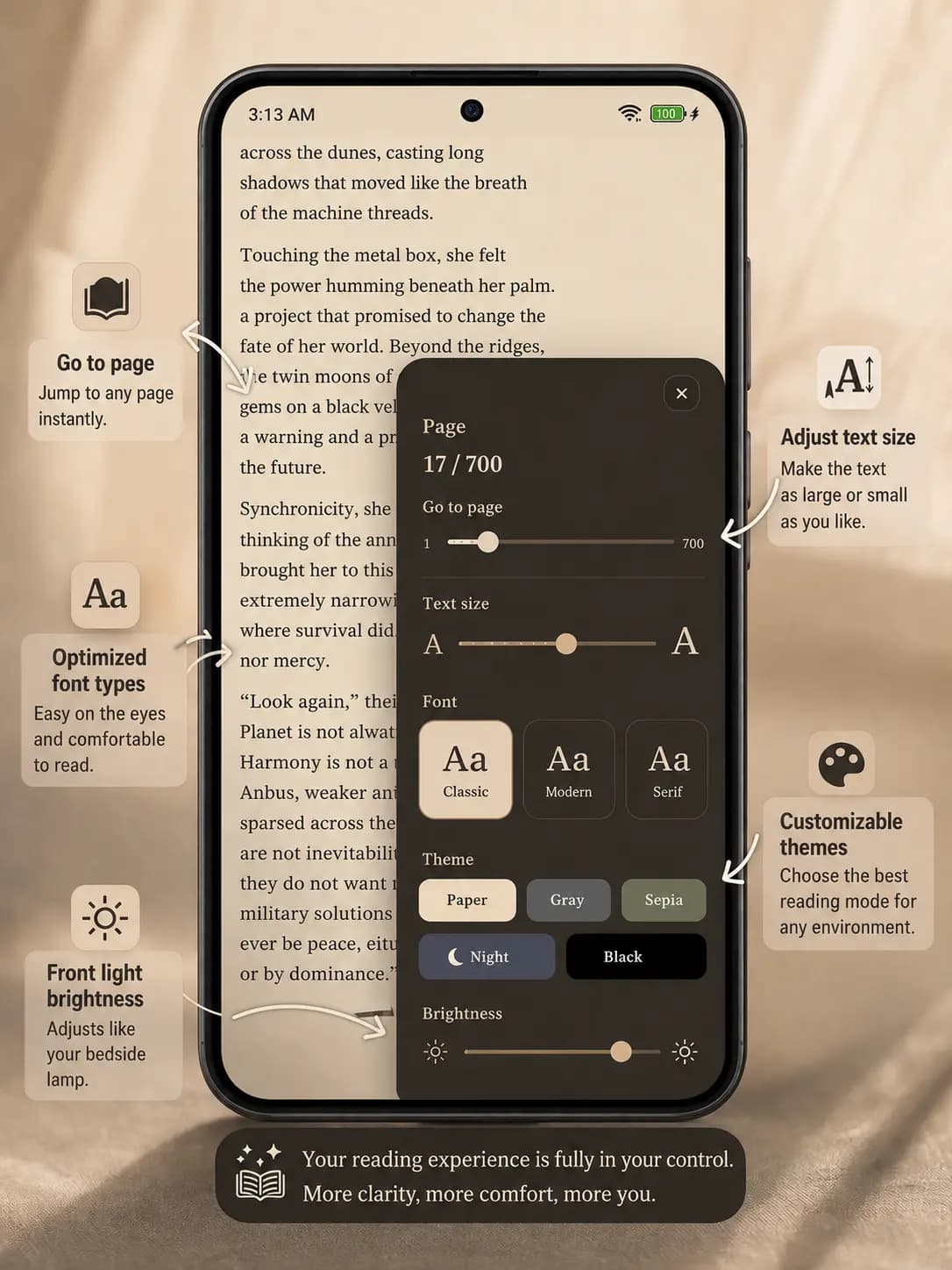
Customize the reading screen your way

The reading experience is not locked into one fixed layout. You can adjust theme, font, text size, brightness, jump to a page, and continue exactly where you left off.

This matters especially during long reading sessions. Bigger text, a warmer theme, or lower brightness can directly improve both speed and comfort.

So the app is not only showing content. It is making content easier to read for you, so you can return to your preferred setup instead of redoing the same settings on every book.

Customize theme, font, text size, brightness, and page controls in Okuzeka
34Registered Users
544Total Queries
187Languages Supported
Why we are different from reading apps

Not just a reader that opens pages, but one that helps you truly understand while reading.

Most reading apps open the text and let you turn pages. Okuzeka adds contextual word meaning, instant translation, and phrase detection directly into the act of reading.

The same word can mean different things in different sentences. Instead of giving one flat dictionary answer, it looks at what the sentence is saying and interprets idioms and set phrases together.

The result is a reading experience that helps you understand more without leaving the flow. The app does not just display the book; it helps you actually read it.

Context-based meaning

Explains the word according to its role and meaning in the sentence.

Idioms and phrases

Understands multi-word expressions as a single meaning unit.

Stay in the reading flow

Keep reading on the same line without jumping to a separate dictionary.

Why we are different from language apps

Learn with the books you can find as PDFs, not only with the content we hand to you.

Many language learning apps keep you inside short curated content. With Okuzeka, you can read books from the store or upload any book you can find as a PDF.

You open a book in the language you want to learn, then choose the language you want the meaning shown in. When you tap a word, the system interprets it in context and translates it into the language you selected.

Because both the book language and the target language can move across 50+ options, you are not locked into one route. You keep learning through real books, whether they are novels, nonfiction, or study material.

Learn with your own PDFs

Keep learning with the books you found yourself, not only with curated lessons.

Move across 50+ languages

Choose the book language and the meaning language independently.

Advance through real books

Learn by reading full books, not just short exercises.

AI-powered reading, contextual word meaning discovery, and active language learning

Okuzeka brings together book reading, PDF reading, contextual word meaning discovery, translation, and review cards for readers who want to learn a language through real texts.

Understanding a word often requires more than a dictionary entry. The system evaluates the surrounding sentence and context so the meaning shown reflects the actual use of the word in that passage.

With an AI-assisted reading workflow, you can read novels, essays, articles, or PDF study materials, inspect difficult words instantly, save them to cards, and review them later in practice mode. That makes language learning through reading more measurable and sustainable.

Community

Readers love it.

★★★★★

I finally finished a French novel after years of trying. Okuzeka made every page feel manageable.

A

Anna K.

Learning French
★★★★★

The word meaning appears instantly and is surprisingly accurate. I've learned 300 German words in two weeks just by reading.

M

Marcus T.

Learning German
★★★★★

While reading Pride and Prejudice, I realized how much vocabulary I was missing. Because Okuzeka shows meaning inside the sentence, I started understanding words in context instead of memorizing them in isolation. Even idioms and set phrases finally made sense, and one famous novel expanded my vocabulary more than months of study lists.

E

Emily T.

Learning English

Your next chapter awaits.

Start reading. Start learning. Upload your first book today.