Create vocabulary flashcards from real reading
Okuzeka helps you save words at the moment they matter, so your vocabulary flashcards come from books and PDFs you actually read.
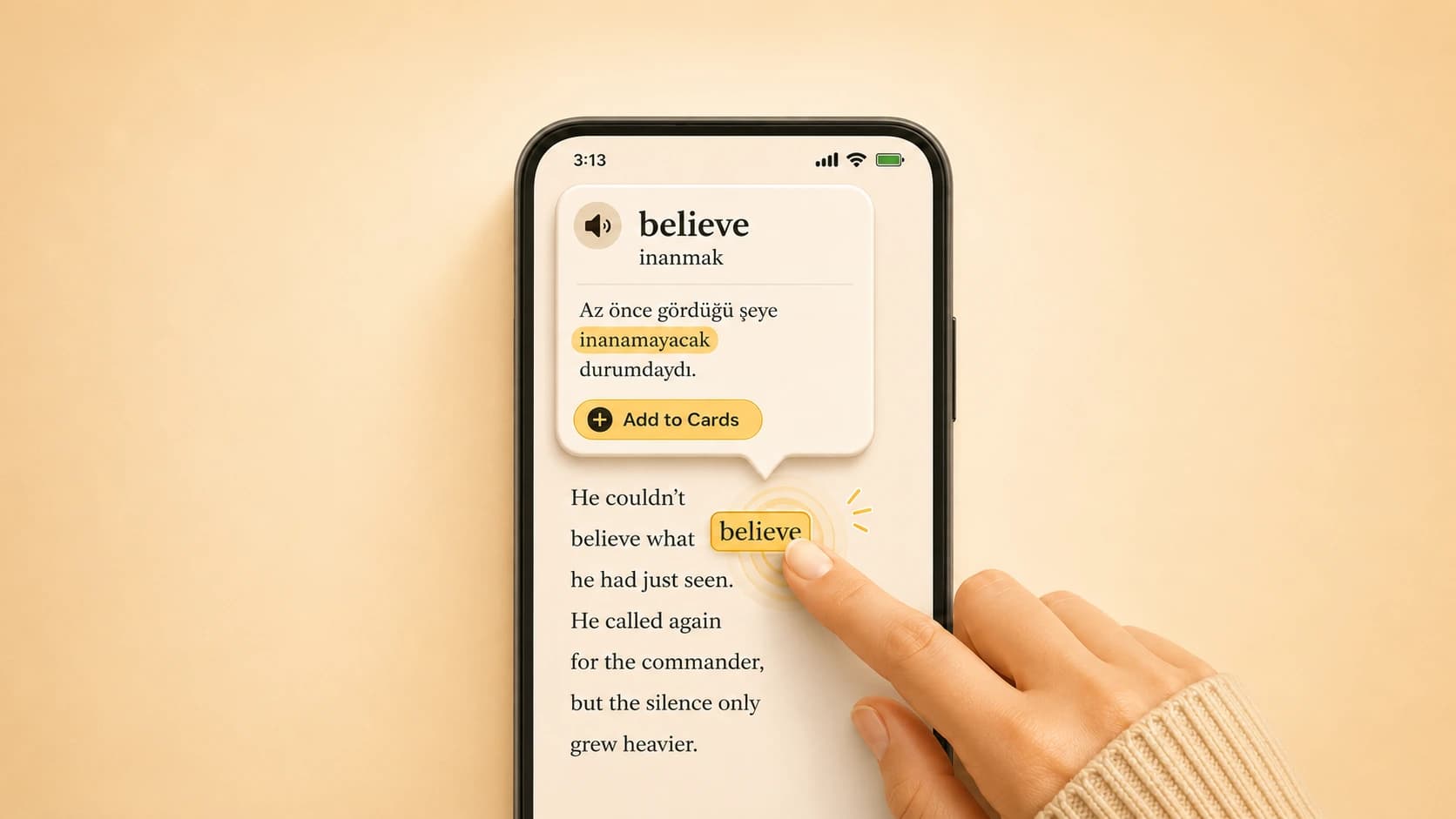


Create vocabulary flashcards from words you meet while reading books, PDFs, and EPUBs. Save meaningful words in context and review vocabulary from real reading.
People search for vocabulary flashcards because they want to remember more words, but isolated cards can become boring fast. A word is easier to remember when it came from a sentence you actually wanted to understand.
Okuzeka turns reading into card creation. You tap an unknown word, understand it in context, and save it only if it feels worth reviewing later.
When you meet a useful word in a book or PDF, you can save it immediately. The card starts from a meaningful reading moment.
That is different from memorizing a generic list, because the word already has a sentence, a reason, and a memory attached to it.
The moment of discovery is important. You have just seen why the word matters, so saving it feels like capturing something useful instead of adding another random item to a deck.
Okuzeka lets your reading history become your study material. The words you save are connected to what you chose to read.
This keeps review focused. You spend time on vocabulary that was important enough to stop you while reading.
Over time, your cards begin to reflect your real interests: the books you picked, the topics you followed, and the language patterns that repeatedly appeared in your own reading.
You can check the contextual meaning first, then decide whether the word is worth saving. That keeps your flashcard list cleaner.
A smaller set of useful cards is often stronger than a huge deck of words you never met in real language.
This makes the review habit easier to maintain. The deck grows from deliberate choices, not from anxiety about saving every unknown word on the page.
Not every unknown word deserves a card. Okuzeka helps you understand the meaning first, then you decide whether the word belongs in your review list.
That keeps your flashcards cleaner. A smaller deck of words from real books is often more useful than a huge deck copied from a generic vocabulary list.
Keeps reading and review connected instead of turning vocabulary into a separate chore.
Keeps reading and review connected instead of turning vocabulary into a separate chore.
Keeps reading and review connected instead of turning vocabulary into a separate chore.
Flashcards should support reading, not replace it. Okuzeka keeps the two connected: read first, collect meaningful words, then review when you have time.
This is useful for language learners who want vocabulary practice to grow naturally from books, PDFs, stories, essays, and other real material.
The cards start from real reading. You save words from books, PDFs, and EPUBs after seeing what they mean in the sentence, instead of memorizing a random list with no context.
Yes. Words can be saved from books you upload and from books available through Okuzeka.
Yes. Okuzeka supports EPUB reading, so you can save useful vocabulary from EPUB books as well.
The workflow starts from contextual lookup, so the word is saved after you understand how it was used while reading. That makes the card more meaningful than an isolated translation.
Yes. Saved vocabulary can be reviewed later from your cards, so reading and review stay connected.
Usually no. It is better to save words that are useful, repeated, important to the text, or worth remembering. Okuzeka helps you understand first so you can choose smarter.
Yes. Advanced readers often meet idioms, rare words, and domain-specific vocabulary that are worth reviewing.
Yes. English learners can save English words and phrases from real books, then review the vocabulary they actually met while reading.
Yes. Okuzeka supports many reading and native language combinations, so the same flow can help with more than one language.
Okuzeka is focused on creating vocabulary cards directly from reading. If your main problem is collecting meaningful words from books and PDFs, Okuzeka keeps that workflow inside the reader.
Yes. Okuzeka works on the web and is available on both the App Store and Google Play.
Yes. The Starter plan lets you begin for free with a small library and a monthly word query limit. Paid plans are available for heavier reading and more lookups.