Выберите текст
Оцените, какие материалы вы читаете чаще: веб-страницы, книги или собственные PDF.
Читайте с пониманием
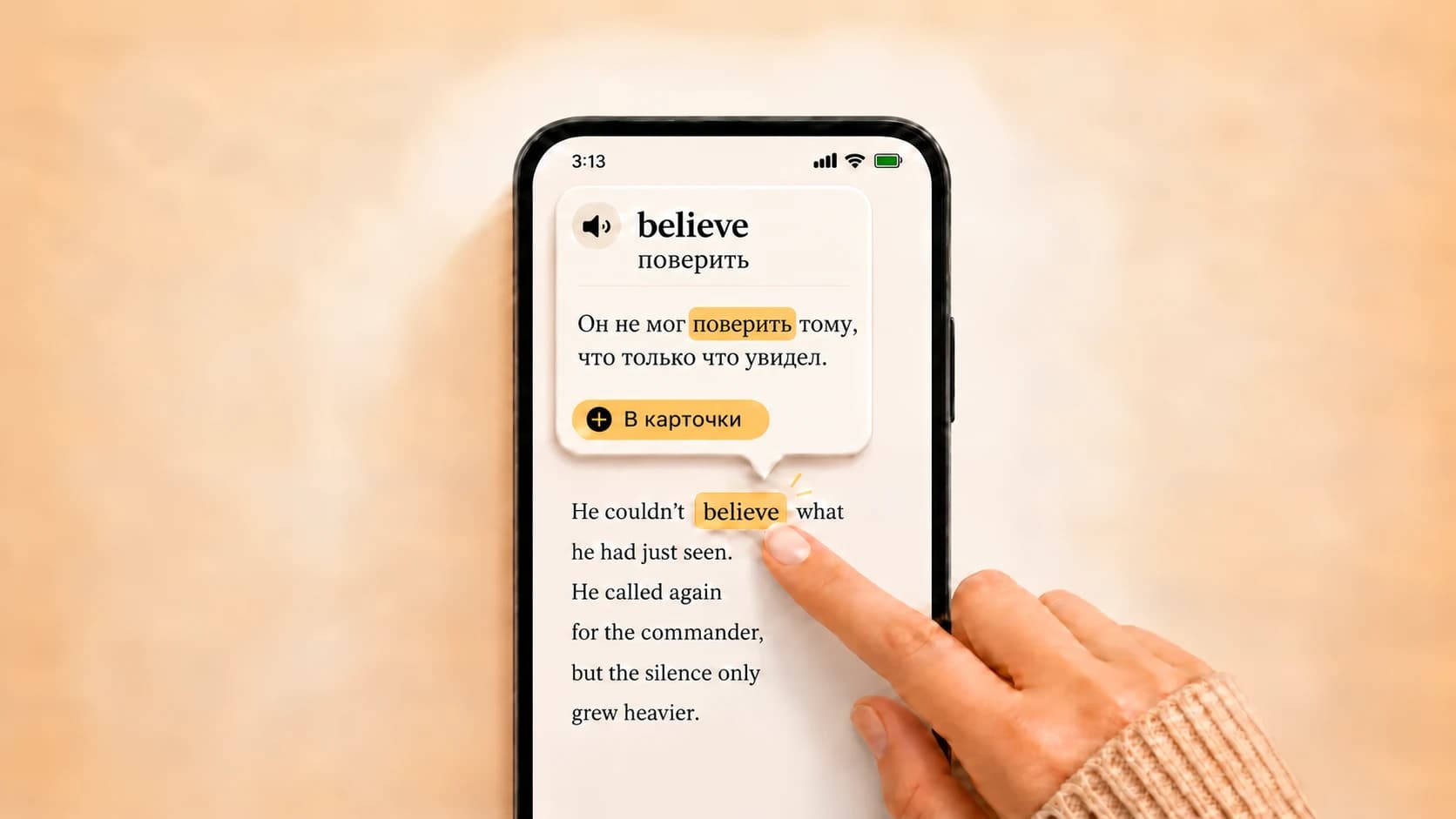
Okuzeka объединяет библиотеку, чтение файлов и объяснения слов с учётом предложения.
Закрепляйте новое
Попробуйте знакомый текст и сравните, насколько удобно продолжать чтение и повторять слова.
Learn words while reading the web
With the Okuzeka Chrome extension, click a word in news, articles or blogs to see its meaning in context. Select a short phrase to explore it, and save useful words to the flashcards in your existing Okuzeka account. Available on desktop Chrome.

Why readers choose Okuzeka as a Readlang alternative
Okuzeka goes beyond click-to-translate by combining a complete book reader, contextual AI, vocabulary practice, and native mobile apps in one platform.
| What to compare | Readlang | Okuzeka |
|---|---|---|
| Primary focus | Browser-oriented click-to-translate learning across web and imported content. | A complete AI reading platform centered on finishing full PDF and EPUB books. |
| Context help | Offers fast inline translation and AI context-aware explanations. | Explains the selected meaning from its sentence and supports phrases, idioms, phrasal verbs, translation, and pronunciation. |
| Vocabulary workflow | Creates flashcards from translated words and includes spaced repetition. | Turns words from real book sentences into personal cards that can be reviewed later in Okuzeka practice mode. |
| Native mobile apps | No native app according to Readlang's official support forum; its mobile-friendly web app can be added to a home screen. | Dedicated Okuzeka apps are available from both the Apple App Store and Google Play, alongside the web reader. |
| Book formats and library | Supports its online reader, imported content, and web reading workflow. | Builds one lasting personal library from supported PDF and EPUB uploads plus ready-to-read Okuzeka catalog books. |
| Long-form reader | Provides a clean online eReader designed for distraction-free reading. | Adds progress, notes, page navigation, theme, font, text size, and brightness controls for comfortable long sessions. |
| Language flexibility | Supports many target languages across its reading tools. | Offers 180+ options and lets readers choose the book language and explanation language independently. |
| Extra reading tools | Includes web reading, video, dictionaries, vocabulary management, and AI conversation features. | Unifies sentence translation, pronunciation, notes, cards, catalog discovery, reader customization, and cross-device progress. |
| Best fit | Learners who want web reading, imported content, and a broad practice workflow. | Readers who want native apps and the strongest possible workflow for understanding and finishing real PDF and EPUB books. |